
 EN
EN

As the first frost settles over your doorstep, you might wonder: can a smart lock really survive a freezing winter? The short answer is yes—if you choose the right one. In this guide, we'll break down how cold weather affects smart locks, from battery drain to fingerprint sensors, and share practical tips to keep your keyless entry working smoothly until spring.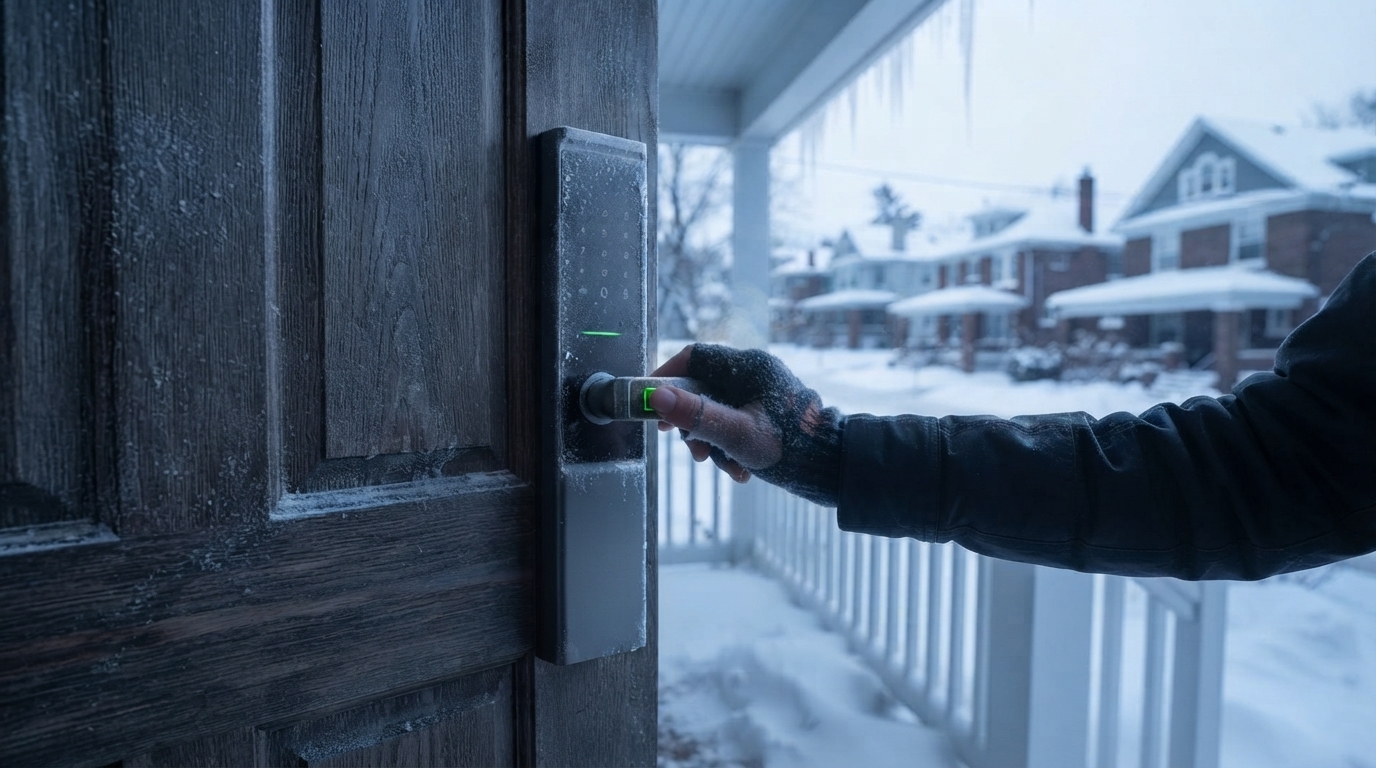
How Freezing Temperatures Affect Smart Lock Performance
Smart locks are electronic devices, and like all electronics, they feel the cold. Most quality smart locks are rated to operate between roughly -20°C and 55°C (-4°F to 131°F). Within that range, the internal circuitry continues to work normally. Problems typically appear at the extremes: deep freezes below the rated range can slow the motor, stiffen the locking mechanism, and temporarily reduce sensor responsiveness.
The good news is that the door itself acts as partial insulation. The exterior keypad takes the worst of the weather, while the interior side—which houses the motor and batteries in most designs—stays significantly warmer. That's why a well-built smart lock can handle winters that would cripple a cheap gadget left outdoors.
Why Smart Lock Batteries Drain Faster in the Cold
Battery performance is the number one winter complaint among smart lock users. Lithium and alkaline batteries rely on chemical reactions, and chemical reactions slow down as temperatures drop. In freezing conditions, a battery that normally lasts six months might lose 20 to 30 percent of its effective runtime.
What does this mean in practice? Your low-battery warning may arrive earlier than expected, and a battery that reads "30%" on a mild day can drop sharply during a cold snap. The solution is simple: check your battery level through the app when the first cold front arrives, and replace batteries proactively in late autumn rather than waiting for the alert. If your lock supports a USB-C emergency power port, keep a power bank at home—this winter habit costs nothing and saves you from ever being locked out.
Fingerprint Recognition with Cold or Dry Winter Fingers
Winter is hard on fingertips, too. Cold, dry air makes skin rough and dehydrated, and dry fingers are harder for optical and capacitive fingerprint sensors to read. Add a scratchy wool glove or chapped skin, and you may notice your smart lock taking two or three tries instead of one.
The fix is painless. Enroll two or three fingers on each hand, including one you can reach while carrying groceries. If a cold finger fails to register, breathe on it or press it against your palm for a second to restore moisture. Many smart locks also include a PIN pad or physical key as backup, so a reluctant fingerprint never leaves you stranded in the snow.
Condensation, Ice, and Moisture Protection
Freezing rain and melting snow pose a bigger threat than cold alone. Water that seeps into a lock and freezes can expand and damage internal components. This is where an IP54 rating or higher matters—the rating confirms the lock resists dust and water splashes from any direction. Look for sealed gaskets around the battery compartment and a weatherproof keypad cover.
Condensation is the sneakier enemy. Warm indoor air meeting a cold door can create moisture inside the lock; quality models handle this with coated circuit boards. After an ice storm, avoid chipping ice off the keypad with metal tools—use a hand or warm cloth instead.
How to Choose a Smart Lock Built for Harsh Winters
If you're shopping before the cold season, keep four winter-proof criteria in mind. First, check the operating temperature range in the spec sheet—wider is better for northern climates. Second, choose a lock with a corrosion-resistant metal alloy body that shrugs off road salt and slush. Third, favor models that push low-battery alerts to your phone, so cold-induced drain never surprises you. Fourth, make sure there's a non-electronic backup: a physical keyhole means a dead battery in a blizzard is an inconvenience, not an emergency.
Simple Winter Habits for a Reliable Smart Lock
A few small habits keep your smart lock dependable through the coldest months. Replace or recharge batteries before winter starts, not after the first warning. Wipe snow and slush off the keypad after storms. Update the lock's firmware in autumn so it benefits from the latest power-management optimizations. Finally, test every unlock method—fingerprint, PIN, app, and physical key—once in December, so you know everything works before the deep freeze arrives.
Conclusion: Winter-Proof Your Front Door
Smart locks are engineered for real-world weather, and a quality model will guard your home through blizzards, ice, and sub-zero nights without complaint. The winter formula is simple: pick a lock with a wide temperature rating and solid weather sealing, swap in fresh batteries before the cold hits, and keep a backup unlock method handy. Do that, and your smart lock will be the most reliable thing on your street this winter—no frozen keys, no fumbling at the door.